
Call analytics: read volume, connection rate, and outcomes
Read Sonrat.ai call analytics with the right context. Understand total calls, connection rate, talk time, outcomes, and why counts alone do not show success.
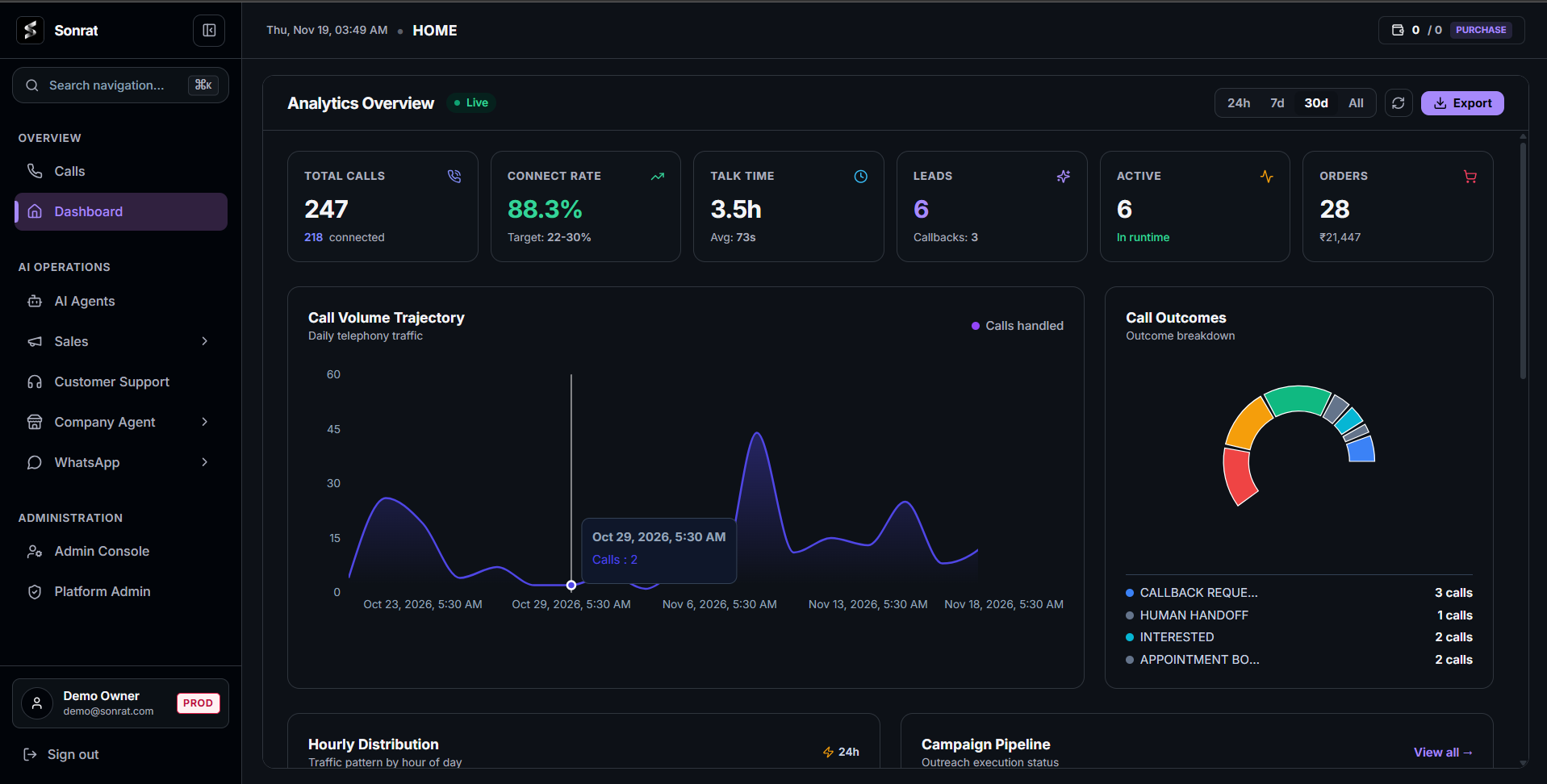
Start with the time range and scope
Before comparing two numbers, check the date range, campaign, and timezone they describe. A total for the last day should not be compared with a monthly total as though the conditions were the same.
Decide what question the review is meant to answer. You might want to know whether more customers reached the business, why callbacks increased, or which requests still need attention.
Read connection rate with its definition
A connection rate needs a numerator and a denominator. Check which attempts count and how connected calls are identified in your system. Repeated attempts and different campaign types can change the meaning of a comparison.
A connected call also does not establish that the customer’s task was completed. Pair the connection result with the conversation and its recorded outcome.
Use talk time to find questions, not winners
A longer conversation might be useful, confused, or interrupted. A short call might answer a simple question or end before the request is handled. Review a sample before deciding what the average means.
Break outcomes into categories the team can act on, such as callbacks, human handoffs, appointment requests, and orders. If a label is ambiguous, inspect the underlying record rather than relying on the chart alone.
Keep demo numbers separate from business results
The public Sonrat.ai dashboard screenshot shows example figures to explain the interface. Those counts and percentages are not a measured result for your company or a published product-performance claim.
For your deployment, confirm the available filters, definitions, and records with the team. Use a dashboard review to choose concrete improvements to knowledge, routing, or follow-up—not simply to make a chart look better.